


A Guide to Installing Uniview CCTV Cameras at Home 17
Installing a CCTV camera system is an excellent way to enhance security and monitor activities in and around your property. Uniview offers reliable and advanced CCTV camera systems that you can install on your own with some basic knowledge and the right tools. In this guide, we will provide step-by-step instructions to help you install a Uniview CCTV camera system and ensure its proper functioning.
Step 1: Plan and Prepare
Before starting the installation process, carefully plan the camera locations and coverage areas. Identify the areas you want to monitor and determine the optimal camera positions for maximum visibility. Ensure that the chosen locations have access to power sources and are within the range of your network.
Step 2: Gather the Required Tools and Equipment
To install a Uniview CCTV camera system, you will need the following tools and equipment:
- Uniview CCTV cameras
- DVR or NVR (Network Video Recorder)
- Camera power supply
- Ethernet cables or Wi-Fi extenders
- Power cables
- Drill and appropriate drill bits
- Screwdriver
- Ladder or step stool (if needed)
- Monitor or computer for initial setup and configuration
Make sure you have all these items ready before proceeding with the installation.
Step 3: Mount the CCTV Cameras
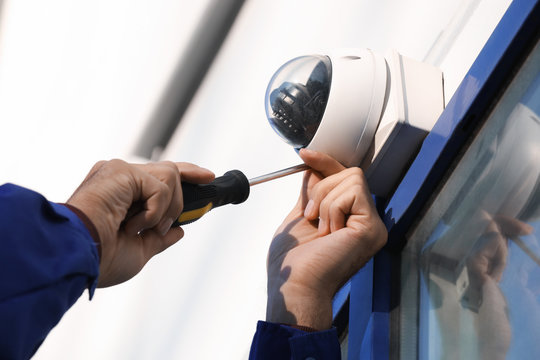
Using a ladder or step stool, mount the CCTV cameras in the designated locations. Choose a secure and stable surface to mount the cameras, such as a wall or ceiling. Ensure that the cameras are positioned at the desired angle and offer optimal coverage. Use a drill and appropriate screws or mounting brackets provided by Uniview to secure the cameras in place.
Step 4: Connect the Cameras to the DVR/NVR
Next, connect the CCTV cameras to the DVR/NVR. Run the necessary cables from each camera to the DVR/NVR location. If using Ethernet cables, ensure they are properly terminated and connected to the corresponding ports on the cameras and DVR/NVR. If using Wi-Fi, configure the cameras to connect to your network following the manufacturer’s instructions.
Step 5: Power the Cameras
Connect the power cables to the CCTV cameras and plug them into a reliable power supply. Ensure that the power connections are secure and that each camera receives adequate power.
Step 6: Connect the DVR/NVR to a Monitor or Computer
Connect the DVR/NVR to a monitor or computer to access and configure the camera system. Use HDMI or VGA cables to connect the DVR/NVR to a monitor or use Uniview’s software to access the system through a computer. Follow the manufacturer’s instructions to set up the system, including network configurations, recording settings, and user accounts.
Step 7: Configure the Camera Settings
Access the camera system’s interface through the monitor or computer and configure the camera settings. Set up features such as motion detection, recording schedules, resolution, and camera names. Customize the settings according to your surveillance requirements and preferences.
Step 8: Test the Camera System
After configuring the settings, test the camera system to ensure its proper functioning. Monitor the live feed from each camera on the monitor or computer and verify that the cameras are capturing clear images and videos. Test the motion detection feature, playback recordings, and verify remote access through your network or mobile devices if applicable.
Step 9: Finalize and Secure the Installation
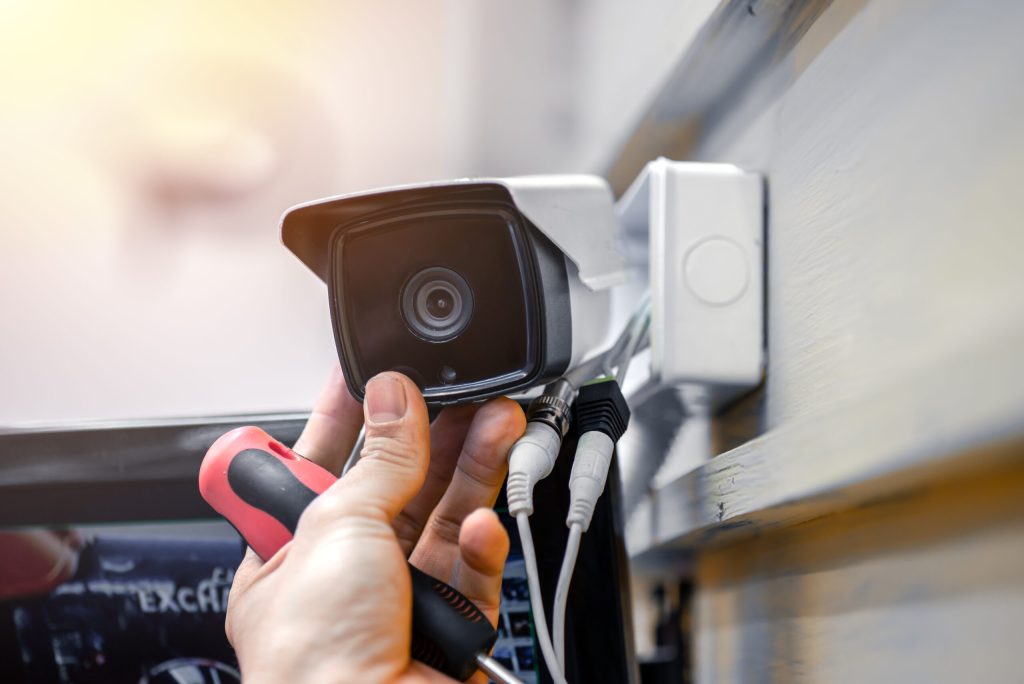
Once you are satisfied with the camera system’s performance, finalize the installation. Secure all cables and connections, ensuring they are protected from weather conditions and tampering. Set up proper password protection and user accounts to prevent unauthorized access to the system.
Installing a Uniview CCTV camera system on your own is achievable with proper planning and the right tools. By following these step-by-step instructions, you can set up a reliable surveillance system to enhance the security of your property. Remember to consult the manufacturer’s documentation and seek professional assistance if needed, ensuring a successful installation and peace of mind knowing your property is well-protected.
Thank you for sharing this informative blog post on installing Uniview CCTV cameras at home. It’s always important to prioritize the safety and security of our homes, and CCTV cameras play a crucial role in achieving that. Your guide provides clear and concise instructions, making the installation process easier for readers. The inclusion of tips on camera placement and considerations for wiring is particularly helpful, ensuring optimal coverage and functionality. Overall, this guide is a valuable resource for anyone looking to enhance their home security with Uniview CCTV cameras. Well done!
Seeing how much work you put into it was really impressive. But even though the phrasing is elegant and the layout inviting, it seems like you are having trouble with it. My belief is that you ought to try sending the following article. If you don’t protect this hike, I will definitely come back for more of the same.
Hi my loved one I wish to say that this post is amazing nice written and include approximately all vital infos Id like to peer more posts like this
Wow amazing blog layout How long have you been blogging for you made blogging look easy The overall look of your web site is magnificent as well as the content
Thank you for the auspicious writeup It in fact was a amusement account it Look advanced to far added agreeable from you However how can we communicate
How long have you been blogging? You make it appear effortless. Both the appearance and the content of your website are outstanding.
Electric smoke vapes Products have become a significant trend among both smokers looking to quit and individuals who have never smoked traditional cigarettes.
Simplywall Great information shared.. really enjoyed reading this post thank you author for sharing this post .. appreciated
What i do not understood is in truth how you are not actually a lot more smartlyliked than you may be now You are very intelligent You realize therefore significantly in the case of this topic produced me individually imagine it from numerous numerous angles Its like men and women dont seem to be fascinated until it is one thing to do with Woman gaga Your own stuffs nice All the time care for it up
helloI like your writing very so much proportion we keep up a correspondence extra approximately your post on AOL I need an expert in this space to unravel my problem May be that is you Taking a look forward to see you
Normally I do not read article on blogs however I would like to say that this writeup very forced me to try and do so Your writing style has been amazed me Thanks quite great post
Isla Moon There is definately a lot to find out about this subject. I like all the points you made
Hi my family member I want to say that this post is awesome nice written and come with approximately all significant infos I would like to peer extra posts like this
Your point of view caught my eye and was very interesting. Thanks. I have a question for you.
With the effective services from Fix Appliance Repair & Termite Services, you can keep your home or business in USA safe from our area’s toughest pests! Fix Appliance Repair & Termite Services
Your point of view caught my eye and was very interesting. Thanks. I have a question for you.
Best price I found for this quality with the geek bar price.